NFC Technology
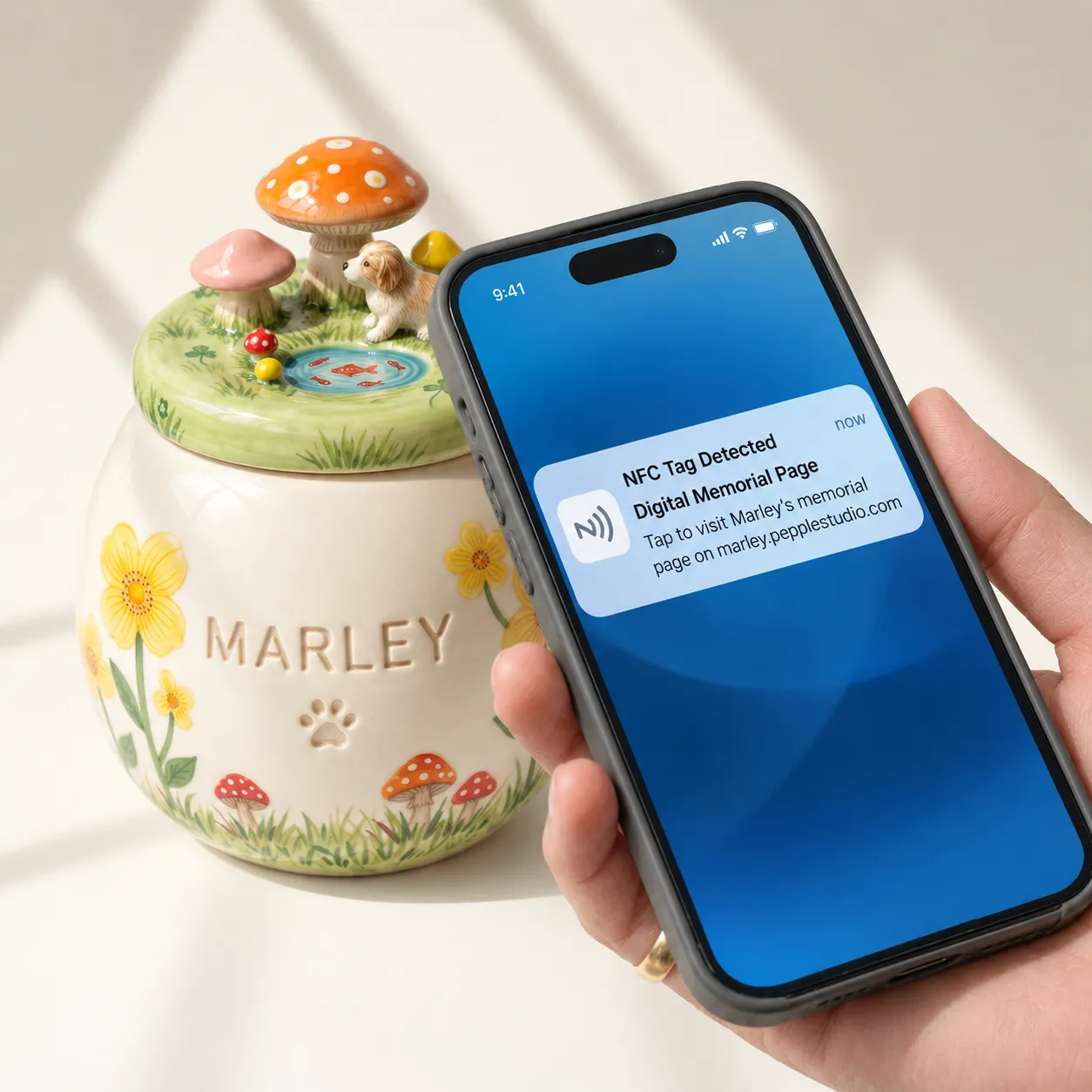
A small NFC tag sits inside your Pepple urn. Hold a phone to the urn and your pet's memorial page opens — no app, no account.
What it is
NFC — near-field communication — is the same short-range signal a phone uses for contactless payment. It only reaches a few centimetres, so the urn answers a phone held right against it and nothing further away. The tag needs no battery and no charging.
The tag sits inside the clay and is fired with the urn at 1200°C. It holds one web address: when a phone touches the urn, that address opens in the phone's browser.
How to use it
- Tap to open. Unlock your phone and hold it close to the urn. Your pet's memorial page opens on the screen.
- Make the tag yours. When your urn arrives, tap it five times within ten seconds. That claims the tag for you, so only you can change where it leads.
- Choose where it opens. By default the tag opens your pet's Mini Page — photos, candles and messages from family. As the owner, you can point it somewhere else.
- Pass it on. If the urn moves to another member of the family, ownership of the tag can be transferred to them.
Questions
Do I need an app?
No. Tapping opens an ordinary web page in your phone's browser.
Will my phone work?
Most smartphones from the last several years can read NFC. Recent iPhones read it on their own, with no setting to change. On Android phones, NFC may need to be switched on in Settings first.
My phone doesn't open anything when I tap.
Make sure the phone is unlocked and, on Android, that NFC is switched on. Then hold it still against the urn for a second or two: the reader sits near the top edge on an iPhone and in the middle of the back on most Android phones. A thick or metal phone case can get in the way.
Something isn't working.
Get in touch and we will sort it out with you.