Mini Page
Mini Page is a small web page for your pet — photos, dates and a few words — that family and friends can visit, light a candle on and leave a message.
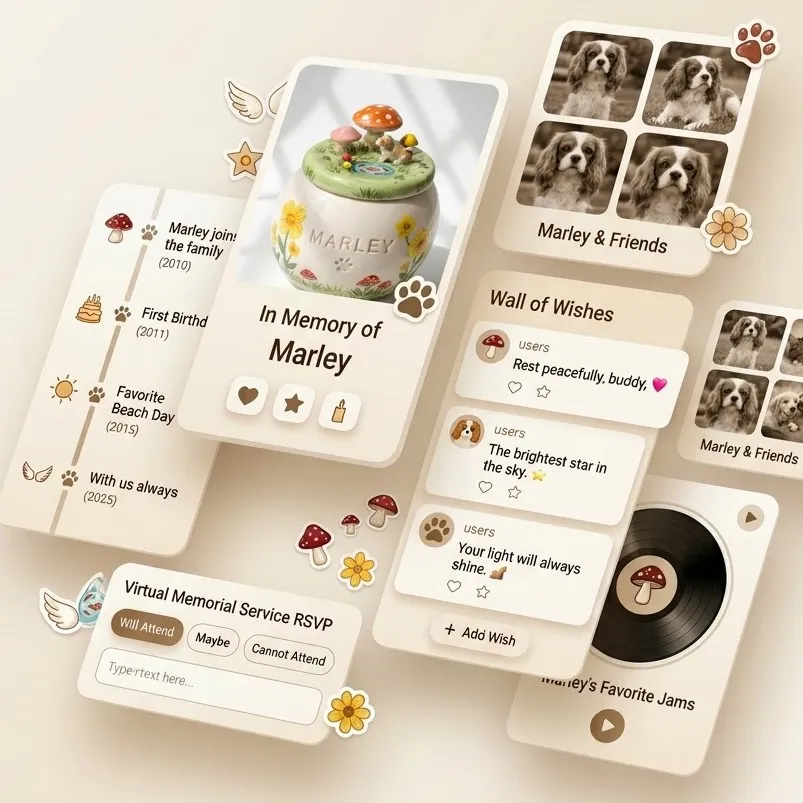
What is on the page
- Photos — an album of your favourite pictures, which family can add to.
- Their name, dates and your words — laid out the way you want.
- Candles — visitors light one with a tap, and the page keeps count.
- Messages — a wall where family and friends leave a few words.
How to set it up
- Choose it when you order. Tick A memorial page for your pet on the order page. Its address comes from your pet's name — for example luna.pepplestudio.com.
- We make the page for you. After payment, the page is set up with your pet's name already in place, and we email you when it is ready — before your piece has even been sculpted.
- Sign in to edit. Go to studio.pepplestudio.com, enter the email you ordered with and open the sign-in link we send you. There is no password. The link works once, for 15 minutes — ask for a new one any time.
- Make it theirs. Add photos, change the words and move things around. Your changes stay a draft until you press Publish, so the page your family sees never changes halfway through an edit.
- Share it. Send the link to family and friends.
For family and friends
Anyone with the link can open the page — no account, no app. They can light a candle, leave a message and add a photo. Messages are checked before they appear, and the page owner can choose to approve them first.
Privacy
The page is private by default: it is not listed in search engines unless you choose otherwise, and it is only found by people you give the link to. See our privacy policy.
With the urn
If your urn has an NFC tag, touching a phone to it opens this page.